n8n Alternatives: 8 Tools That Actually Work for Content Teams (2026)
Compare 8 n8n alternatives built for content teams who do not code. Side by side review of Relato, Zapier, Make, Gumloop, Lindy AI, Relay.app and more.
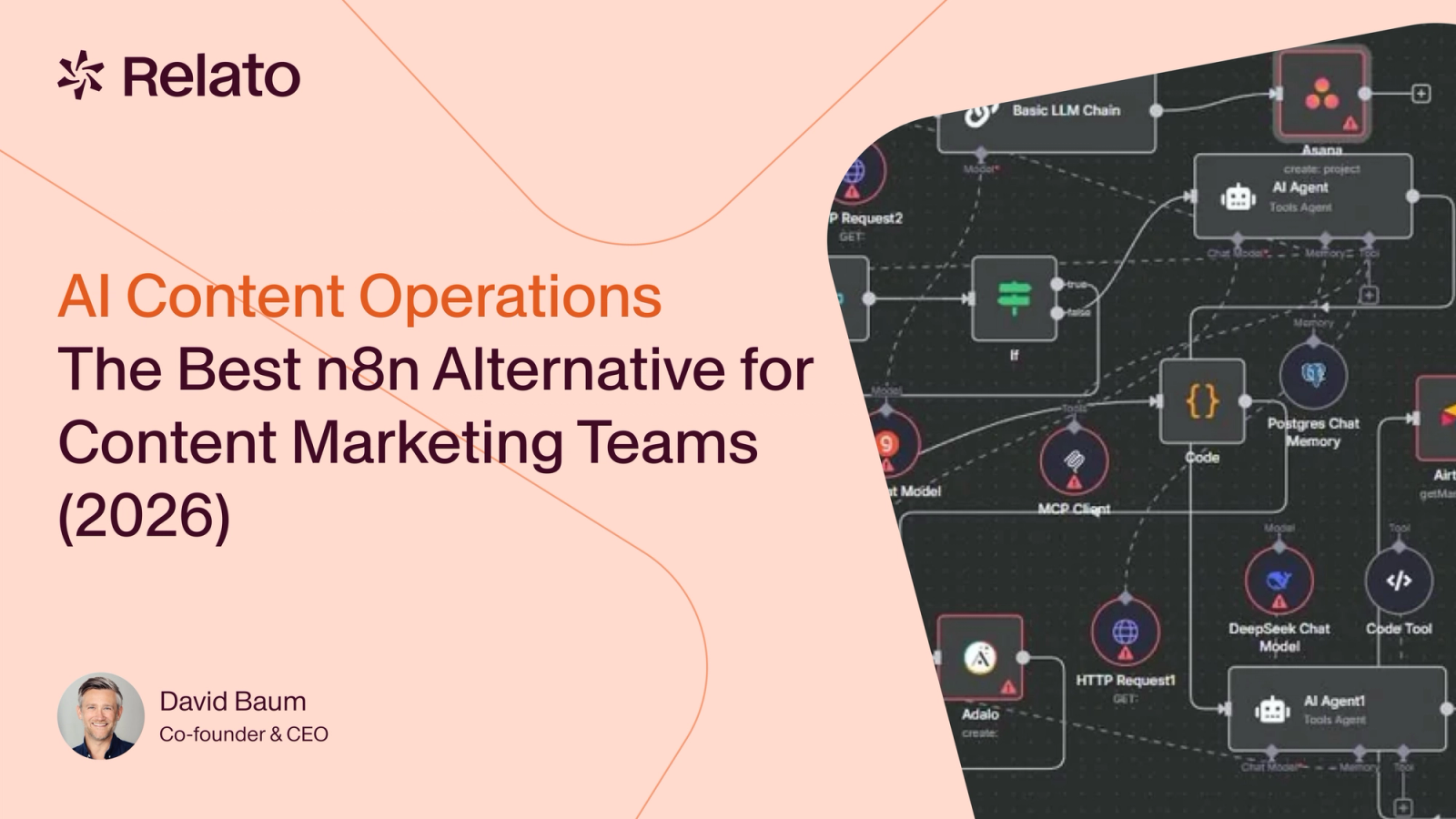

If you have spent days trying to build a content workflow in n8n and still do not have something that works, you’re not alone.
I’ve spoken with dozens of content marketing managers who started with n8n full of excitement. They watched YouTube tutorials, joined community forums, and believed they could finally automate their content production pipeline. Then reality hit: debugging cryptic errors, workflows that broke in production, and that sinking feeling of “maybe I’m just not smart enough for this.”
Here’s the truth: It’s not you. n8n was built for engineers, not marketers.
This guide reviews 8 n8n alternatives from the perspective of content teams, not developers. We evaluate each platform for content-specific workflows like editorial calendar management, content brief generation, and multi-format publishing. Not just generic “send data from Tool A to Tool B” automation.
What is the best n8n alternative for content marketing teams? (Quick answer)
If you do not have time for the full breakdown, here is the short version for content teams.
- Best n8n alternative for content operations: Relato. Editorial calendars, briefs, approval flows and multi-channel publishing are first-class features instead of nodes you assemble yourself. Setup measured in hours, not weeks.
- Best n8n equivalent for ops-minded teams that still want a generic builder: Make. Visual workflow canvas, lower learning curve than n8n, cheaper than Zapier on the same volume.
- Best n8n competitor for simple integrations: Zapier. Largest integration library, easiest to learn, but task-based pricing punishes content production volume. See our Zapier alternatives for content teams guide for the deeper comparison.
- Best n8n replacement for AI-first workflows: Gumloop or Lindy AI. Both treat AI agents as the primary surface, not as a bolt-on node inside a longer chain.
- Best free n8n alternative: Relato’s free plan (500 AI credits) and Pipedream’s free tier (100 credits per month). Activepieces is free if you can self-host.
- Best open-source n8n alternative: Activepieces. MIT licence, self-hostable, no per-task fees, growing integration library.
The rest of this guide explains why content operations are a poor fit for general automation tools, and how to pick the right alternative for your situation.
Why Content Teams Struggle with n8n (And Why It’s Not Your Fault)
The Brutal Learning Curve Problem
n8n was built for developers who think in terms of API endpoints, JSON objects, and data transformations. Research shows that non-technical users underestimate n8n’s learning curve by 2.2 to 2.8 times. What you think will take 5 hours actually takes 12-15 hours, just to build your first working workflow.
The platform’s features make sense to engineers: binary data handling, expression syntax, webhooks, custom code blocks. But if you’re a content marketer trying to automate your editorial calendar, most of these features are overkill—and they get in the way.
The real problem isn’t that you can’t learn n8n. It’s that learning n8n requires the same investment as learning basic programming. And you’re here to market products, not become a developer.
The Debugging Nightmare
Even if you get past the learning curve, debugging is where most content teams give up. Workflows that run perfectly in your test environment suddenly break when you deploy them. APIs return unexpected data formats. Error messages are cryptic.
Beyond the technical challenges, many content teams turn to n8n because they’re already struggling with the Frankenstack problem: a patchwork of disconnected tools that don’t communicate. They hope n8n will be the glue. But adding another complex tool often makes the problem worse, not better.
For content teams operating on tight deadlines, this is a dealbreaker. When your blog post needs to publish at 9am and your workflow breaks at 8:45am, you don’t have time to dig through execution logs and debug JavaScript expressions.
Content Operations ≠ Generic Automation
Content operations require fundamentally different workflows than generic business automation:
Generic automation: Moving data between systems, triggering notifications, syncing CRM records.
Content operations: Editorial calendar → content brief → draft generation → editorial review → SEO optimization → multi-format publishing → performance tracking.
These are creative, collaborative, multi-stage processes requiring human oversight, approval workflows, version control, and content-specific AI capabilities.
These multi-stage processes require a system of record and a single source of truth for content operations where every team member can see what stage each asset is in, who’s responsible for the next step, and how it fits into the broader content calendar.”
n8n has zero features built specifically for content teams. No editorial calendar integration. No content brief templates. No native writing assistance. No approval workflows. You can build all of this yourself in n8n—if you have significant engineering time and skills. But that’s the point: you shouldn’t have to.
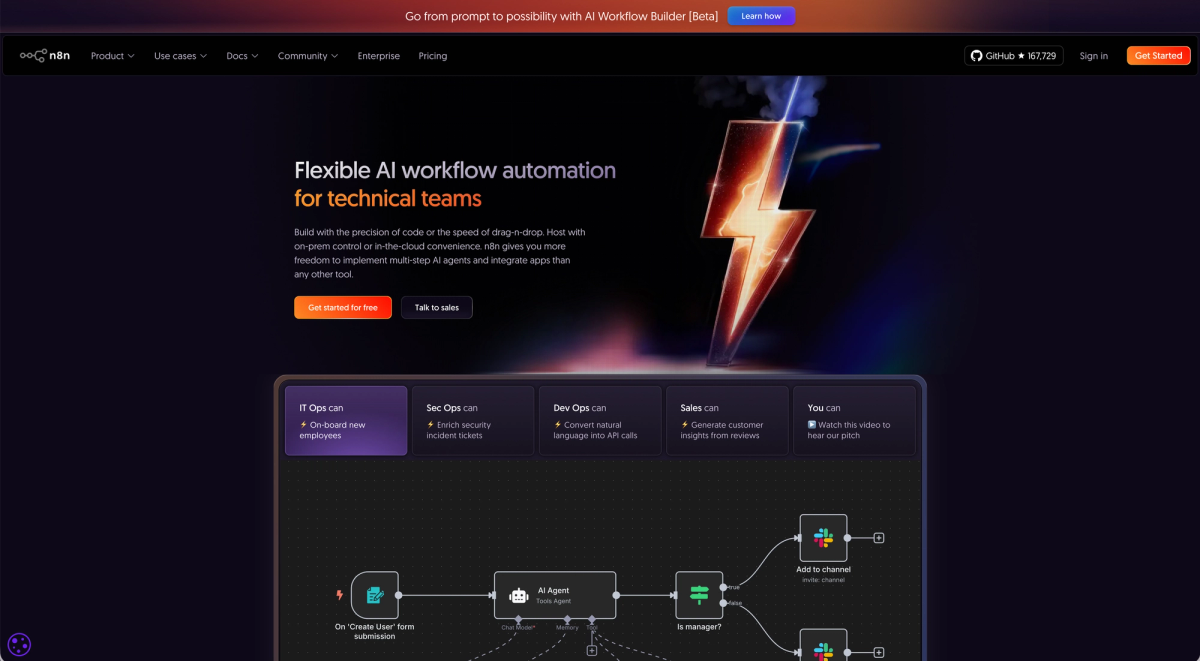
How to Evaluate n8n Alternatives for Content Teams
1. Ease of Use for Non-Technical Users
Can a content marketer build workflows without engineering help? Look for visual workflow builders with plain-language interfaces, pre-built templates, and setup time measured in hours, not days. The best test: Can you build your first workflow in under 2 hours?
2. Content-Specific Features
Generic automation platforms treat all data the same. Content platforms understand that blog posts, social media updates, and email newsletters are fundamentally different. Look for native integrations with content tools (CMS, DAM, SEO platforms), content workflow templates, AI capabilities designed for content work, and multi-format publishing.
3. Reliability & Production Readiness
Workflows that work in testing but break in production are worse than no automation at all. Look for robust error handling with clear messages, testing environments that mirror production, version control, and monitoring when workflows fail.
4. Team Collaboration
Content is a team sport. Look for role-based permissions (writers, editors, strategists), approval workflows with human-in-the-loop steps, version control, and audit trails showing who changed what.
5. Time to Value
How long until you see ROI? Look for pre-built templates you can customize, onboarding designed for marketing teams, and quick wins in the first week.
n8n competitors, equivalents and similar tools: how they overlap
Every “alternative to n8n” search returns the same five or six platforms. They are not interchangeable. Three groups, organized by what they replace n8n with:
Generic automation platforms (the closest direct n8n competitors). Zapier, Make, Workato and Microsoft Power Automate are the platforms most teams compare n8n against. Same shape of tool, different trade-offs on price, integration depth and engineering effort. If you want a like-for-like n8n replacement, the answer is almost always Make (cheaper, more visual) or Zapier (easier, larger ecosystem).
AI-first platforms (the AI alternative to n8n). Gumloop and Lindy AI ship AI agents and conversational interfaces as native surfaces, not as a single OpenAI node inside a longer workflow. If you came to n8n specifically to build AI workflows, these are usually the better fit. Relay.app used to belong here too, but it wound down in 2026 (free accounts August 15, paid September 14), so it is no longer a platform to build on.
Purpose-built content operations platforms. Relato is the only platform on this list designed from the ground up for content teams. Editorial calendars, content briefs, approval flows and multi-format publishing are first-class, not stitched together from generic automation primitives.
The reason “n8n equivalent” returns so many partial answers is that n8n itself sits awkwardly between three categories: automation for generic business tasks, AI workflow builder, and open-source platform for engineering teams. Different alternatives win in different categories.
8 n8n Alternatives Compared
Whether you’re scaling content production with a lean team or managing a growing distributed organization, choosing the right automation platform impacts your ability to maintain quality while increasing output.
1. Relato: Purpose-Built for Content Operations
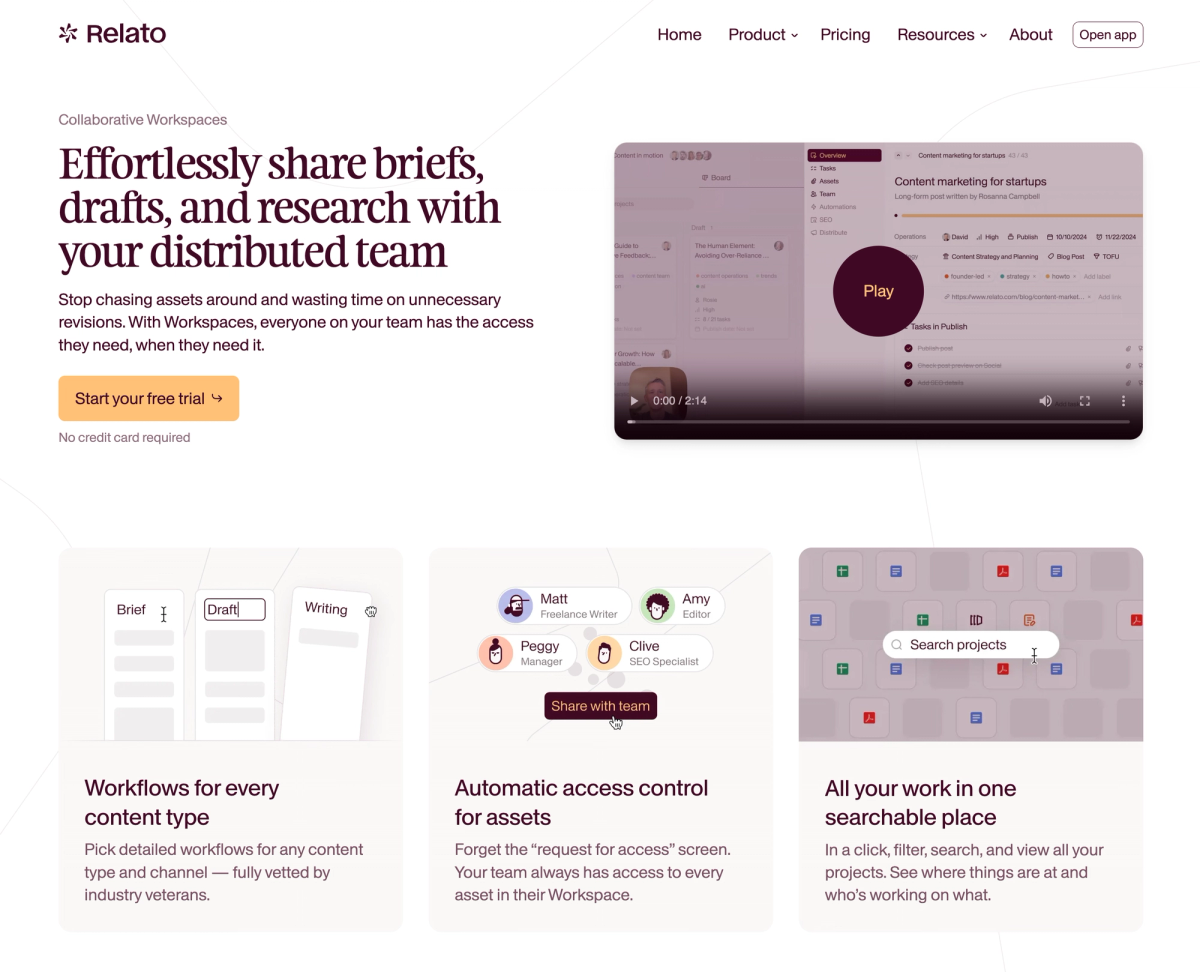
Best for: Content teams that need AI-powered workflows without engineering skills Pricing: Tiered pricing, including a Free tier and 500 AI credits for free.
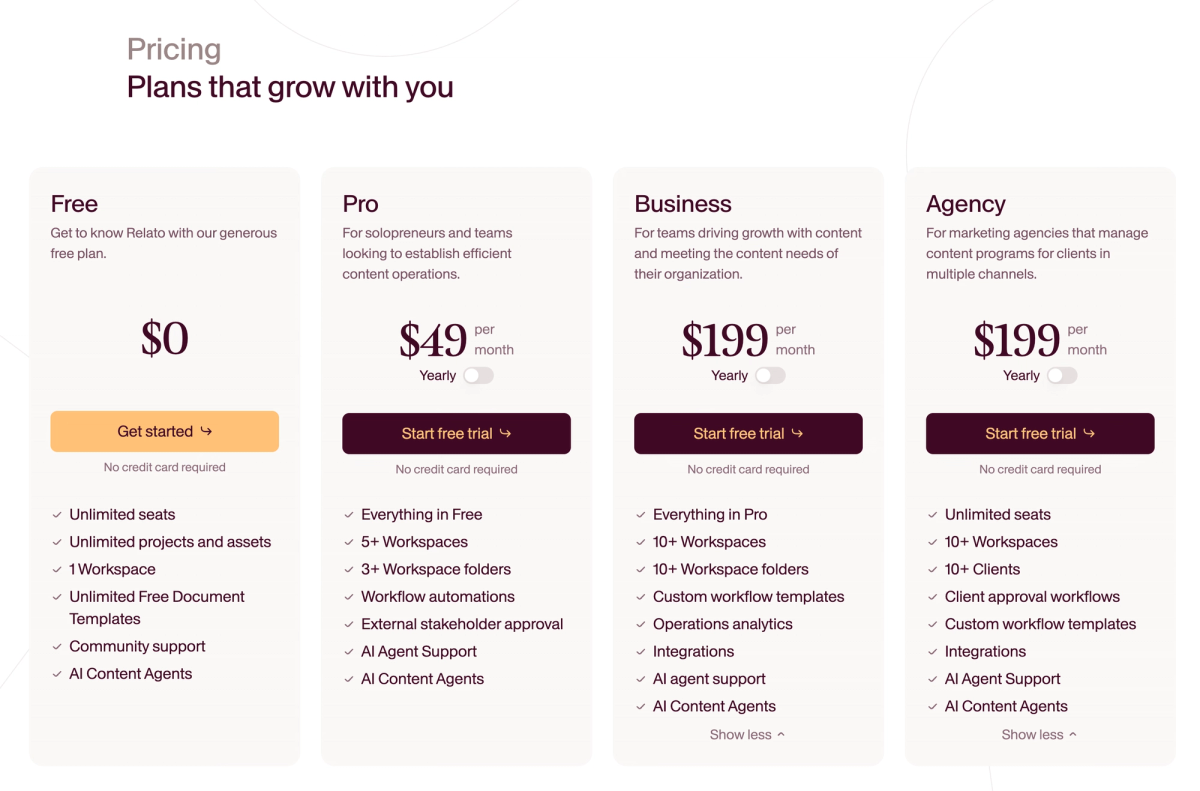
Ease of Use: High Content Operations Focus: Yes (purpose-built)
Relato is the only platform on this list built specifically for content operations. Instead of adapting a general automation tool for content work, Relato was designed from the ground up for editorial calendars, content briefs, multi-format publishing, and SEO optimization.
Why It’s Different from n8n:
Purpose-built for content operations (not retrofitted general automation)
AI agents designed specifically for content workflows
Content agents that run out of the box, instead of workflows you wire together
Built for marketing teams, not developers
Pre-built content workflow templates
Native integrations with content tools (SERP API, Google Search Console etc)
Pros:
Use any model from OpenAI, Anthropic and Gemini without an API key
No engineering skills required (marketer-friendly UI)
AI agents understand content work (brief generation, drafting, SEO optimization)
Team collaboration built-in (approval workflows, version control, role permissions)
Pre-built templates for common content workflows
Fast time to value (productive in first week)
Cons:
Newer platform (smaller community than established tools)
Content-specific focus (not ideal for non-marketing automation)
Fewer tools than mature platforms (but adding new integrations weekly)
Verdict:
If you’re a content team without engineering resources and need AI-powered workflows specifically for content operations, Relato is purpose-built for you. It’s not trying to be a general automation platform—it’s laser-focused on content production, which is its strength.
2. Zapier: The Industry Standard
Best for: General business automation with maximum integrations Pricing: Starts at $19.99/month Ease of Use: Medium Content Operations Focus: Low
Zapier is the household name in workflow automation. It pioneered the “if this, then that” automation model and has the largest integration library (8,000+ apps).
Why It’s Better Than n8n: Much easier to learn, massive integration library, excellent documentation, large community, reliable infrastructure.
Pros: Beginner-friendly interface, widest integration ecosystem, excellent uptime and reliability, extensive documentation and templates, large community for support.
Cons: Expensive at scale (pricing by tasks), limited customization, not built for complex multi-step content workflows, generic automation (no content-specific features), AI capabilities are basic.
Verdict: Zapier is excellent for simple integrations (“When a blog post publishes, share to social media”). For complex content operations workflows requiring AI assistance, approval processes, and content-specific features, it’s not purpose-built. For a content-team-focused breakdown of Zapier and its closest competitors, see our Zapier alternatives for content teams guide.
3. Make (formerly Integromat): Visual Workflow Builder
Best for: Visual thinkers who want more control than Zapier Pricing: Starts at $10.59/month Ease of Use: Medium Content Operations Focus: Low
Make offers a visual workflow builder that shows data flowing through your automation. It’s more powerful than Zapier but less technical than n8
Why It’s Better Than n8n:
More visual, easier to understand data flow, better pricing, less coding required, faster setup.
Pros:
Visual workflow canvas (easier to understand), more affordable than Zapier, powerful features (routers, filters, aggregators), good balance of power and usability, active community.
Cons:
Steeper learning curve than Zapier, can get complex quickly, not content-specific, documentation less comprehensive than Zapier, requires understanding of data structures.
Verdict:
Make is a solid middle ground. Many frustrated n8n users switch to Make when they want something more manageable but still powerful. If you need general automation and want to save money compared to Zapier, Make is excellent. For content operations specifically, it’s not purpose-built.
4. Pipedream: Developer-Friendly Code + No-Code
Best for: Developers who want code + no-code flexibility Pricing: Free tier; paid starts at $29/month Ease of Use: Medium-Low Content Operations Focus: Low
Pipedream is designed for developers who want more control than drag-and-drop builders provide.
Why It’s Better Than n8n:
More flexible, better free tier (100 credits/month), modern development experience, built-in version control.
Pros:
Powerful for developers, generous free tier, API-first design with excellent documentation, version control built-in, event-driven architecture.
Cons:
Requires coding knowledge (JavaScript/Python), not marketer-friendly, no content-specific features, steeper learning curve than Zapier or Make.
Verdict:
If you’re a developer looking for more control than n8n offers, Pipedream is excellent. For content marketing teams without engineering resources, it’s the wrong tool.
5. Gumloop: AI-First Automation Platform
Best for: AI agent builders and automation enthusiasts Pricing: 14-day trial (no free tier since mid-2026); paid starts at $37/month Ease of Use: Medium Content Operations Focus: Medium
Gumloop is gaining traction as an AI-first automation platform designed for building AI agents and AI-powered workflows.
Why It’s Better Than n8n:
AI-native design, more intuitive for AI use cases, better visual interface, growing library of AI-specific workflow templates.
Pros:
Strong AI capabilities (LLM integration, AI agents, prompt management), good for AI-powered automation workflows, active development, growing community.
Cons:
Still relatively new (documentation can lag features), can be complex for non-AI use cases, limited content-specific templates beyond AI generation, smaller integration ecosystem.
Verdict:
Gumloop is promising if you want AI-powered automation. It’s more accessible than building AI workflows in n8n. But it’s still not specifically designed for content operations. If you’re experimenting with AI automation, Gumloop is interesting. For complete content operations workflows, it’s not purpose-built.
6. Lindy AI: Conversational AI Agents
Best for: Conversational AI agents for business tasks Pricing: 7-day trial (no free tier); Plus from $49.99/month Ease of Use: High Content Operations Focus: Medium
Lindy takes a different approach: instead of building visual workflows, you interact with AI agents conversationally.
Why It’s Better Than n8n:
Natural language interface (no visual workflow building required), AI-native experience feels intuitive, much easier to get started, conversational AI handles complexity behind the scenes.
Pros:
Extremely user-friendly (conversational UI), AI agents feel natural and responsive, no learning curve, good for personal productivity, quick setup (minutes, not hours).
Cons:
Less control than workflow builders (can’t see logic), limited for complex content operations with defined processes, conversational interface may not fit all use cases, not team-collaboration focused.
Verdict:
Lindy is great for individual content creators who want AI assistance without learning a workflow builder. For team-based content operations with defined workflows and approval processes, you need something more structured.
7. Relay.app: Team Collaboration Workflows
Update (September 2026): Relay.app has wound down. Relay announced the wind-down in July 2026, with free accounts ending on August 15, 2026 and paid accounts on September 14, 2026, so Relay is no longer an n8n alternative you can adopt. If your team already runs approval workflows on Relay, our Relay.app migration guide covers how to move them somewhere actively maintained. The review below is kept for reference.
Best for: Team collaboration on automated workflows Pricing: Free tier; paid starts at $19/month per user Ease of Use: Medium Content Operations Focus: Low
Relay is built around team collaboration, with human-in-the-loop workflows as a core feature.
Why It’s Better Than n8n:
Built for team collaboration (not solo developers), human approval steps are native, easier to learn, designed for non-technical teams.
Pros:
Excellent team features (permissions, approval workflows, collaboration), human-in-the-loop workflows are intuitive, user-friendly interface, good for workflows requiring approval, affordable per-user pricing.
Cons:
Not content-specific, limited AI capabilities compared to newer platforms, smaller integration library than Zapier or Make, not built for complex content production workflows.
Verdict:
Relay excels at team-based workflows with approval steps. If you need human oversight in your automation, it’s well-designed. But it’s not built for content operations specifically.
8. Activepieces: Open-Source Alternative
Best for: Open-source alternative for developers Pricing: Free (self-hosted); cloud plans start at $200/month Ease of Use: Low Content Operations Focus: Low
Activepieces is an open-source n8n alternative for teams who want to self-host and have full control.
Why It’s Better Than n8n:
True open source with MIT license, more active development, modern tech stack, growing integration library.
Pros:
Open source and self-hostable (full control), no licensing fees for self-hosted deployments, growing integration library, active community, modern architecture.
Cons:
Requires DevOps knowledge to self-host properly, cloud pricing is expensive ($200/month minimum), not marketer-friendly, no content-specific features, smaller community.
Verdict:
If you’re looking for an open-source n8n replacement and have engineering resources to manage self-hosting, Activepieces is solid. For marketing teams without DevOps resources, it’s not the right fit.
Platform comparison table
| Platform | Best for | Starting price | Ease of use | Content ops focus | AI workflows |
|---|---|---|---|---|---|
| Relato | Content operations teams | Free, then $39/mo | High | Native, purpose-built | Native (content agents) |
| Zapier | Simple integrations across many apps | $19.99/mo | Medium | Low | Bolt-on (Zapier Agents) |
| Make | Visual builders who want more power than Zapier | $10.59/mo | Medium | Low | Bolt-on (OpenAI module) |
| Pipedream | Developers who want code plus no-code | Free, then $29/mo | Medium-low | Low | Bolt-on (code) |
| Gumloop | AI agent builders | Free, then $37/mo | Medium | Medium | Native (AI-first) |
| Lindy AI | Conversational AI for individuals | 7-day trial, then $49.99/mo | High | Medium | Native (conversational) |
| Relay.app | Approval-driven team workflows | Free, then $19/user/mo | Medium | Low | Bolt-on |
| Activepieces | Open-source, self-hosted | Free (10 active flows), then $5 per active flow | Low | Low | Bolt-on |
| n8n (for reference) | Engineers who want full control | Free self-hosted, $24/mo cloud | Low | Low | Bolt-on (custom code) |
Competitor pricing verified against each vendor’s own pricing page, September 2026. Prices move; if you are reading this much later, check the source before relying on it.
For human-in-the-loop approval workflows specifically, our Relay.app alternatives for content teams guide breaks down where Relay wins and where it does not.
n8n free alternative: what is actually free in 2026
“n8n free alternative” is one of the highest-intent searches on this topic, partly because n8n itself has a generous self-hosted Community Edition that costs nothing if you can run Docker. Here is what is actually free, with the catches called out.
- Relato (free plan): 500 AI credits, content workflow templates and the agent library included. Catch: AI credits are metered, so heavy AI usage needs a paid plan eventually.
- Pipedream (free tier): 100 credits per month, generous compared to most. Catch: developer-leaning interface, you will need to write some JavaScript or Python for non-trivial workflows.
- Activepieces (self-hosted): Free under MIT licence if you run it yourself. Catch: you need DevOps skills to deploy and maintain it, plus the integration library is smaller than n8n’s.
- Make (free tier): 1,000 operations per month, two active scenarios. Catch: the free tier is tight enough that any real content workflow runs out within days.
- Zapier (free tier): 100 tasks per month on simple two-step Zaps. Catch: useful only for trying the product, not for running anything in production.
If “free” really means “no DevOps work and enough headroom to test a real workflow”, Relato’s free plan is the closest match for content teams. If “free” means “open-source and self-hosted”, Activepieces is the answer.
n8n alternative for AI workflows: Gumloop, Lindy and Relato
If the reason you originally adopted n8n was to build AI workflows, the picture in 2026 looks different than it did even a year ago. AI-native platforms have caught up and overtaken general automation tools on the AI surface.
- Gumloop treats LLM steps, prompt management and agent templates as the primary building blocks, not as a single node inside a generic workflow. If your workflow is mostly AI, the interface is closer to what you want.
- Lindy AI replaces the visual workflow entirely with a conversational interface. You describe the workflow to an agent and it builds it. For individual content creators or anyone who finds visual builders frustrating, the experience is much faster.
- Relato wins specifically for content AI workflows. The agents are trained on content tasks (briefs, drafts, SEO optimization, multi-format adaptation), so a “research a topic and write a brief” workflow is one template configuration, not a 12-step chain you have to wire up.
The honest trade-off: AI-native platforms are weaker than n8n on generic non-AI automation. If half your workflows are non-AI integrations and half are AI, Make plus Relato (or Zapier plus Relato) is usually a better stack than picking one AI-first tool to do everything.
n8n alternative for agencies running client content programs
Agencies have a different set of constraints. The shape of the problem is per-client workspaces, role-based permissions across clients, predictable pricing as client count grows, and ideally white-label or branded interfaces so the work looks like yours.
- Relato is built for this with workspace-per-client separation, team-level permissions and shared agent libraries across clients. Pricing is flat per workspace rather than per task, which is what makes it scale cleanly with client count.
- Make is the closest generic option. Predictable per-operation pricing keeps agency budgets sane, and the visual builder is approachable enough that account managers can own workflows alongside ops.
- Zapier rarely works at agency scale because task-based pricing compounds across clients. By the time you are running 50 Zaps across 10 clients you are paying enterprise prices for the platform.
- Self-hosted n8n is workable only if the agency has in-house engineering to own the infrastructure. Most do not.
For agencies specifically focused on freelance management and content collaboration, see our piece on how to operationalize your content strategy for the workflow patterns that hold up across many clients.
Why Relato is Different: Built for Content Operations, Not Retrofitted
Every platform we reviewed is good at something. But none of them, except Relato, was built specifically for content operations teams.
The “Content Operations” Category Exists
Content operations isn’t just “marketing automation.” It’s a distinct discipline with unique requirements:
Content operations workflows:
Start with strategic planning (editorial calendars, content briefs)
Move through creative production (drafting, editing, design)
Include review and approval (editors, legal, subject matter experts)
Require optimization (SEO, readability, brand voice)
End with multi-format publishing (blog, social, email, video)
Continue with performance tracking and iteration
General automation tools treat all of this as generic “move data from Point A to Point B” workflows. They don’t understand that a content brief is different from a CRM record. They don’t include approval workflows designed for editorial teams.
Relato was built from the ground up for content operations. Every feature exists because content teams actually need it—not because developers thought it was technically interesting.
AI Agents That Actually Understand Content Work
Most platforms either have no AI capabilities or generic AI that requires you to engineer custom prompts for every use case.
Relato’s AI agents are designed specifically for content workflows:
Content Brief Generation: Input a target keyword and audience, get a research-backed brief in minutes
Draft Creation: Generate first drafts that match your brand voice
SEO Optimization: Analyze content for search intent, keyword optimization, and readability
Multi-Format Adaptation: Take one piece of content and adapt it for blog, social, email, video scripts
Editorial Assistance: Suggest improvements for clarity, tone, structure, and engagement
In n8n, building AI-powered content generation requires: API integration, prompt engineering, error handling, data parsing, and testing. In Relato, it’s a pre-built setup you configure in 30 seconds.
Setup: assemble it yourself, or start from a template
The difference is structural, not cosmetic:
With n8n you build it yourself:
Research which APIs you need
Set up authentication and keys for each integration
Build the flow from generic nodes
Debug data-format and API errors
Then maintain it as those APIs change
Relato approach (20 minutes):
Clone pre-built AI agent template (3 minutes)
Customize instructions for your specific needs (10 minutes)
Watch your agent connect additional pre-configured tools (2 minutes)
Test with sample content (5 minutes)
The difference isn’t just speed. It’s that you can actually complete the workflow yourself without calling in engineering help.
Automate content workflows without writing code.
Relato is purpose-built for content teams who need automation that works out of the box.
Built for Teams And Marketers
Content production requires collaboration across distinct content team roles and responsibilities. Writers draft, editors review, strategists approve, designers create visuals, SEO specialists optimize.
This matters especially when you’re collaborating with freelancers, where clear workflows and version control prevent miscommunication and rework.
n8n workflows are typically built and maintained by a single developer. When that person leaves or goes on vacation, workflows become black boxes nobody else understands.
Relato was designed for teams and marketers without engineering skills:
**Pre-built agents: **Relato offers a library of ready to run agents included in every plan
**No-code development: **There is no coding required to create an AI agent from scratch
Role-based permissions: Writers see different workflows than editors
Approval steps: Human review before content publishes
Version control: See who changed what and when
Audit trails: Track content through the entire production process
Team templates: Share successful agentic workflows across the organization
Which Platform Should You Choose?
Based on the evaluation framework above, here’s how to choose:
**If you’re a content marketer or team without engineering help: ** → Relato (purpose-built for content ops), Lindy AI (conversational AI for individuals), or Zapier (simple integrations)
**If you need AI-powered content workflows: ** → Relato (content-specific AI agents), Gumloop (general AI automation), or Lindy AI (conversational)
**If you’re comfortable with code and want maximum flexibility: ** → Pipedream (developer-friendly), n8n (if you have engineering resources), or Activepieces (if open-source is critical)
**If you want general automation (not content-specific): ** → Zapier (easiest), Make (visual + affordable), or Relay.app (team collaboration)
**If budget is tight and you need open-source: ** → Activepieces (self-hosted), or stick with n8n (if you have engineering resources)
**If you’re specifically building content operations workflows: ** → Relato is the only platform on this list purpose-built for this
Frequently asked questions about n8n alternatives
What is a good free n8n alternative?
Three credible free options in 2026. Relato has a free plan with 500 AI credits and content workflow templates included. Pipedream gives 100 credits per month on its free tier with a developer-leaning interface. Activepieces is free if you self-host on your own infrastructure, with a paid cloud option starting at $200 per month. n8n’s own self-hosted Community Edition is also free, so the question for most teams is whether you want to keep running n8n at all or move to a different category of tool.
What is the best n8n equivalent for AI workflows?
If you came to n8n to build AI workflows, the strongest equivalents are Gumloop, Lindy AI and Relato. Gumloop is AI-native: LLM nodes, prompt management and agent templates are the primary surface, not a bolt-on. Lindy AI replaces the visual workflow with a conversational interface where you describe the workflow to an agent. Relato is the right answer when the AI workflows are content workflows specifically (brief generation, drafting, SEO optimization, multi-format publishing) because the AI agents are trained on those tasks rather than being generic LLM calls.
Is there an n8n alternative for agencies?
For agencies running client content programs the trade-off changes: you need per-client workspaces, role-based permissions across clients and predictable pricing as client count grows. Relato is built for this with workspace-per-client separation and team-level permissions. Make scales reasonably for agencies that need generic automation across many clients thanks to its predictable per-operation pricing. Zapier’s per-task pricing usually punishes agency volume. Self-hosted n8n is workable only if the agency has in-house engineering.
What is the disadvantage of n8n for content workflows?
The main disadvantage of n8n for content workflows is that the platform was not designed with content production in mind. Practically that means no editorial calendar, no brief templates, no approval flows, no SEO optimization, no multi-format publishing and no content-specific AI agents. Content teams using n8n have to build all of that from scratch, which takes significant engineering time and produces fragile workflows that break the first time an API response format changes.
Is Relato really easier than n8n?
Yes. Non-technical users start from a working content workflow in Relato rather than building one from scratch in n8n. The difference: pre-built content workflow templates, one-click integrations, and ready-to-run AI agents that understand content work. You’re not building from scratch. You’re customizing proven workflows.
What is the best n8n alternative for content marketing teams?
Relato is the best n8n alternative for content marketing teams because it’s purpose-built for content operations, not general automation. Unlike n8n, a general-purpose automation tool you configure and wire together yourself, Relato offers native content-specific AI agents for brief generation, drafting, SEO optimization, and multi-format publishing, with team members productive in a fraction of the time.
Why do content teams struggle with n8n?
Content teams struggle with n8n because it was built for engineers, not marketers. n8n requires engineering skills to build workflows, has zero content-specific features like editorial calendars or content brief templates, and has to be learned and wired together before it can do the content automation a purpose-built platform handles out of the box.
What are the disadvantages of using n8n for content workflows?
n8n’s main disadvantages for content workflows include requiring engineering resources for setup and maintenance, lack of content-specific features like brief templates or SEO optimization, a steep learning curve, and no native editorial calendar or approval workflows. These limitations force content teams to build features that dedicated content platforms provide immediately.
Is there a no-code alternative to n8n for content marketing?
Yes, Relato is a no-code alternative to n8n designed specifically for content marketing teams. It requires no engineering skills or coding knowledge, offers pre-built content workflow templates, includes AI agents for content operations, and enables team members to become productive without the technical setup n8n requires.
Can non-technical content teams use n8n effectively?
Non-technical content teams typically cannot use n8n effectively because it requires JavaScript/Python coding skills, technical understanding of API integrations, and a significant time investment to build basic workflows. n8n is developer-dependent and lacks the user-friendly interface that non-technical marketers need for content automation.
What features should content teams look for in workflow automation tools?
Content teams need workflow automation tools with editorial calendar integration, content brief templates, native writing assistance, approval workflows, multi-format publishing capabilities, SEO optimization features, version control, and role-based permissions. General automation platforms like n8n, Zapier, and Make lack these content-specific features, requiring teams to build custom solutions instead of using purpose-built content operations platforms.
Is n8n or Zapier better for content creation?
Neither n8n nor Zapier is universally better for content creation—both are general automation tools, not content-specific platforms. Zapier offers easier setup for non-technical users with 8,000+ integrations, while n8n provides more technical control for developers. However, content teams benefit most from purpose-built platforms like Relato that offer native content workflows, AI agents, and editorial collaboration features.
What makes a platform purpose-built for content operations versus general automation?
Purpose-built content operations platforms provide native features content teams need daily: editorial calendars, content brief generation, SEO optimization, multi-format publishing, approval workflows, and AI agents trained for content tasks. General automation platforms like n8n, Zapier, and Make require teams to custom-build these features from scratch, which takes engineering time they usually do not have.
Does Relato integrate with the same tools as n8n?
Relato integrates with essential content tools including SERP APIs, Google Search Console, WordPress, CMS platforms, and content marketing tools, focusing on content-specific integrations rather than n8n’s general-purpose 350+ connections. Relato prioritizes deep integrations with content creation, SEO research, and publishing platforms that content teams actually use daily.
Can I migrate my existing n8n workflows to an alternative?
It depends on the platform and workflow complexity. Simple integrations (“When X happens, do Y”) migrate easily to Zapier or Make. Complex workflows with custom code require rebuilding. Most teams find it faster to rebuild using pre-built templates than migrate line-by-line.
Do I need engineering skills for any of these alternatives?
Relato, Zapier, Lindy AI, and Relay.app are designed for non-technical users. Make requires some technical understanding. Pipedream, Activepieces, and n8n require coding knowledge.
Which platform has the best AI capabilities for content?
Relato’s AI agents are trained specifically on content workflows (briefs, drafts, SEO optimization). Gumloop and Lindy AI have strong AI capabilities but aren’t content-specific. Most other platforms require you to build AI integrations yourself.
What if I need both content operations AND general automation?
Use Relato for content operations workflows and Zapier/Make for general business automation. Most teams use multiple tools for different use cases rather than forcing one tool to do everything.
Ready to See What Purpose-Built Content Operations Looks Like?
If you’re tired of wrestling with general automation tools that weren’t designed for content work, see how Relato is different.
Built for content teams. Not developers. Not general automation. Content operations.
AI agents included. Content brief generation, drafting, AEO/SEO optimization, multi-format adaptation—all native.
Team collaboration ready. Approval workflows, version control, role permissions built in.
Start from a template, not a blank canvas. Pre-built content workflows get you productive quickly.
Automate content workflows without writing code.
Relato is purpose-built for content teams who need automation that works out of the box.