Run Relato from the assistant you already have open
Relato's MCP server connects your workspace to Claude, ChatGPT, Copilot, or any MCP-compatible assistant. Ask it to find a project, pull what's overdue, create an asset from a link, query a dataset, or start an agent run, no dashboard required.
Works with the assistant you use
Claude, ChatGPT, Copilot, or any other MCP-compatible client. Same connection, same tools, no separate integration per tool.
Read and write, not just read
Find projects, tasks, and assets by name or stage, and create, update, or run things directly, all through natural language.
Two-minute setup
Add the endpoint, authorize through OAuth, done. No API keys to issue or rotate by hand.
How it works
Add the endpoint
Point your MCP-compatible assistant at api.relato.com/mcp. Works in Claude, ChatGPT, Copilot, and any other MCP client.
Authorize
Connect your Relato account through OAuth. No API keys to create, share, or rotate by hand.
Ask your assistant
Find a project, check what is overdue, create an asset from a URL or doc, query a dataset, or start an agent run, all in plain language.
What you can do with it
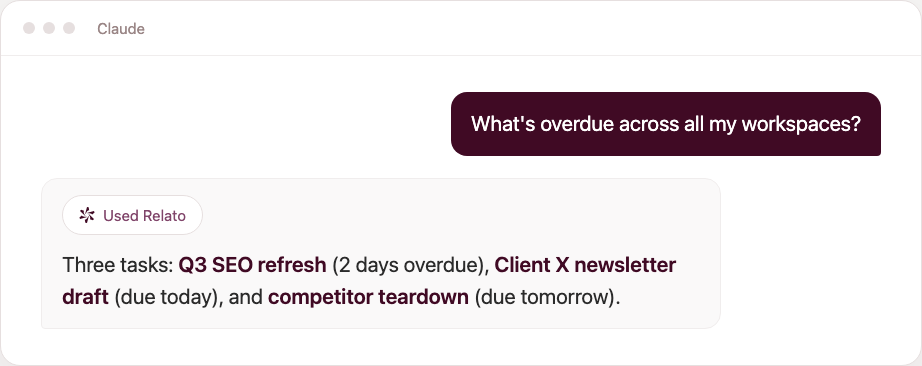
Ask in plain language
Same data you would find by clicking through the app, just faster to reach.
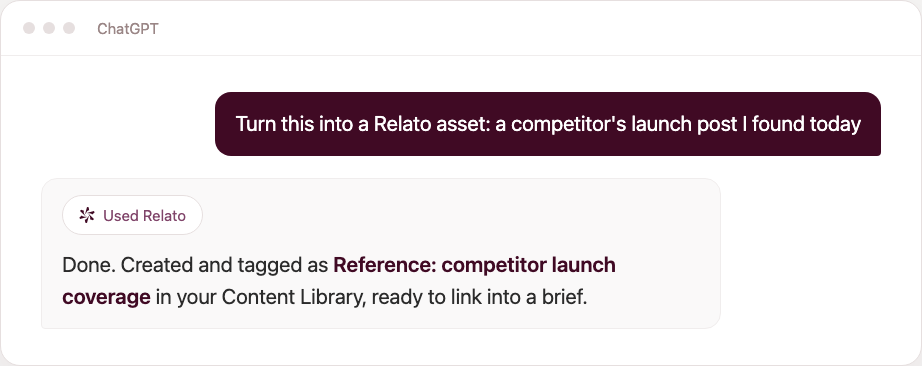
Bring content in from anywhere
Useful for competitor pages, source articles, or drafts your team already wrote somewhere else.
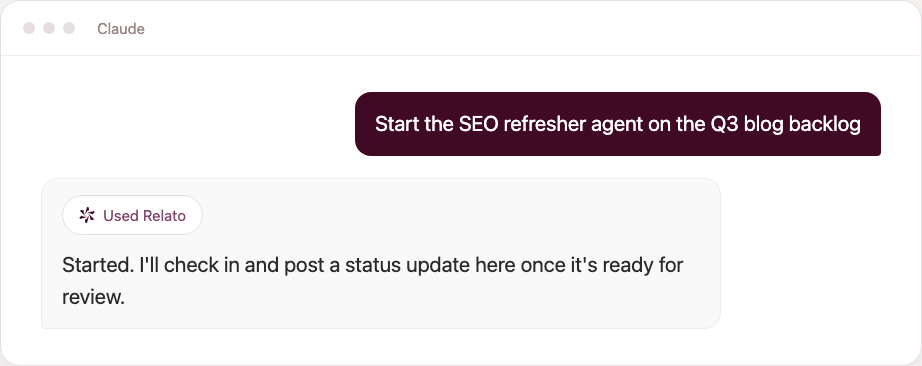
Run agents without opening a dashboard
Kick one off, ask for a status update mid-run, or stop it if the direction changed.
Connect Relato to your assistant
Streamline your content process, collaborate with ease, and scale your marketing without the extra meetings.