Run your content pipeline from backlog to published in one board
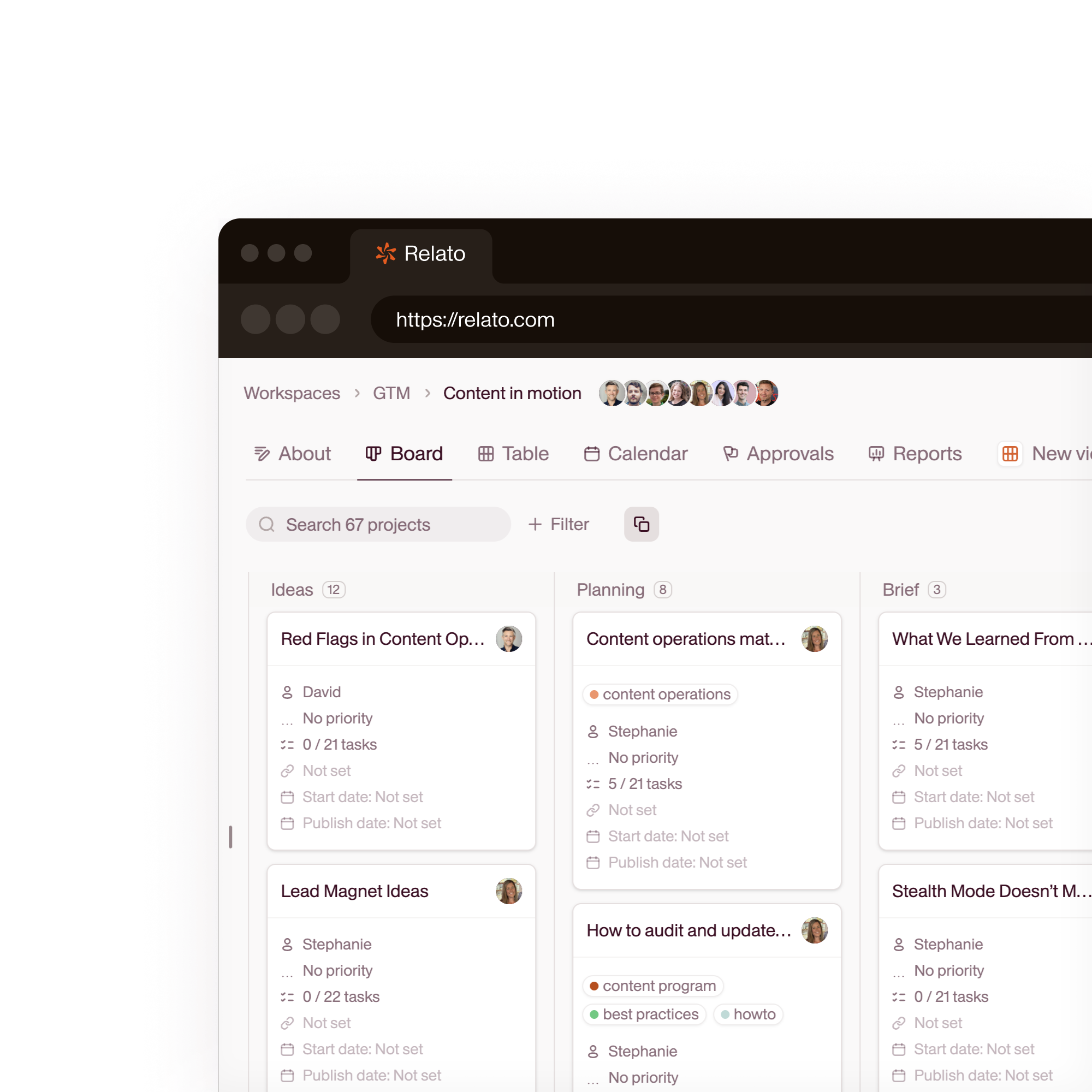
Set up workflow stages. Assign each stage to a person or an AI agent. Every piece moves with a status, an owner, and a history.

What is a content operations platform?
A content operations platform is the software a marketing team uses to plan, produce, review, and publish content from one place. It replaces the mix of docs, spreadsheets, and project trackers content usually lives in, so every piece has a single owner, a clear stage, and a visible history.
It is not a CMS, which stores and renders published pages, and it is not a general project tool like Notion or Asana, which tracks tasks but knows nothing about editorial stages. A content operations platform is built around the way content actually moves, from backlog to draft to review to published.
Relato is an AI content operations platform. You set up your workflow stages, then assign each stage to a person or an AI agent. Research, writing, editing, and SEO agents run inside the same board your team works in, so work keeps moving whether a person or an agent owns the next step.
Want the process behind the tool? Read our content operations framework for 2026.
Stop managing your content pipeline in Notion and Google Docs
Your strategy lives in a spreadsheet. The draft is in Docs. The feedback is in Slack. And nobody knows which piece is in which stage. Relato puts the pipeline, the content, and the team on one board.
Without Relato
- Status updates in Slack threads that disappear
- Drafts in Google Docs with no version trail
- Weekly standups just to figure out what's in progress
- Content calendars in spreadsheets that are outdated the moment you close them
- No connection between the plan and the actual work
With Relato
- Every piece has a stage, owner, and due date on one board
- Drafts, feedback, and approvals happen inside each project
- Open the board, see where everything stands
- Calendar view by publish date, channel, and content pillar
- AI agents run inside projects with your brand context loaded
Move content through your editorial process
Drag projects across Backlog, Research, Production, Review, and Published. Each stage can have assigned tasks, approvers, and AI agents that run automatically when a project enters.
- Customizable stages per workspace
- Default tasks and assignees per stage
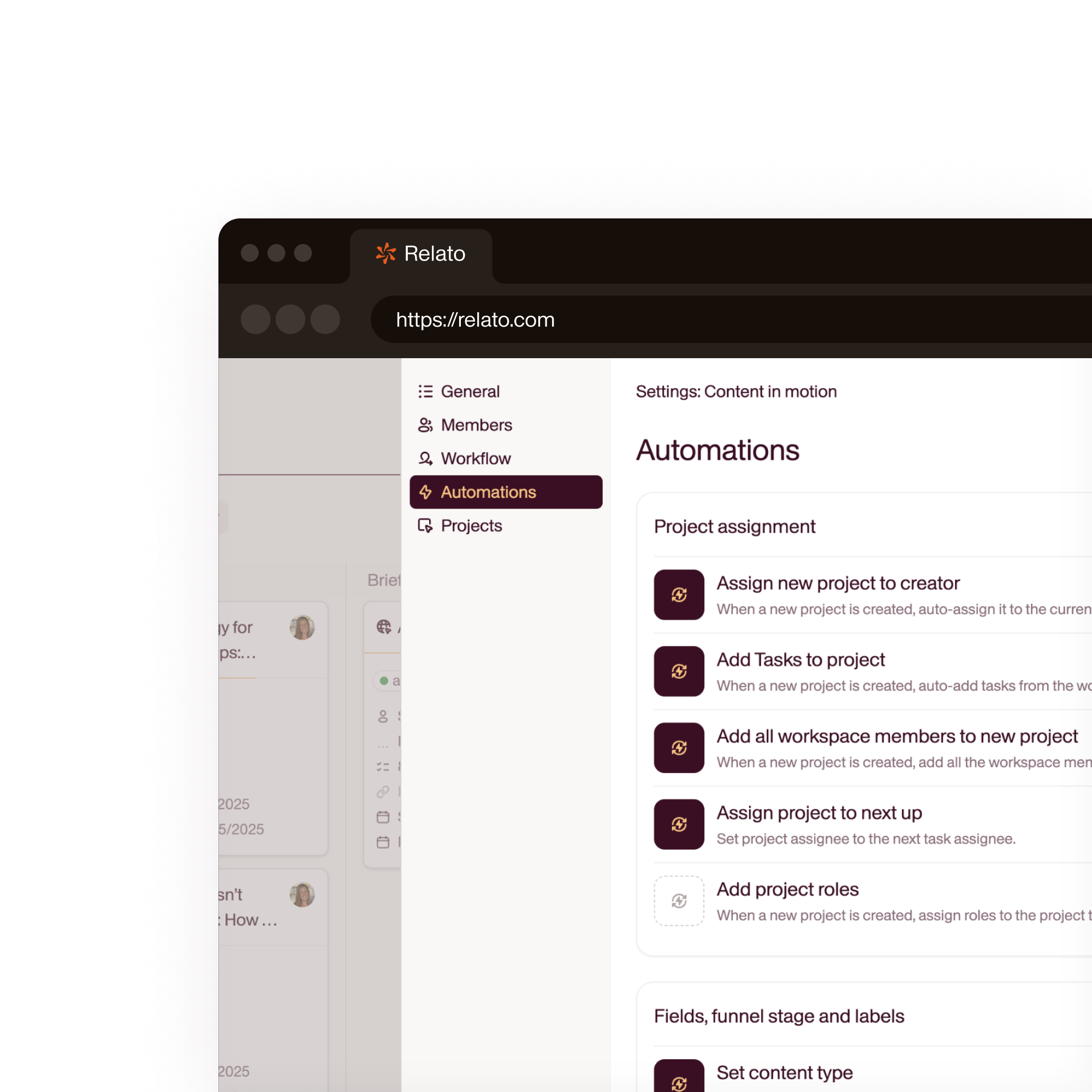
- AI agents trigger when projects enter a stage
Assign tasks to people or AI agents
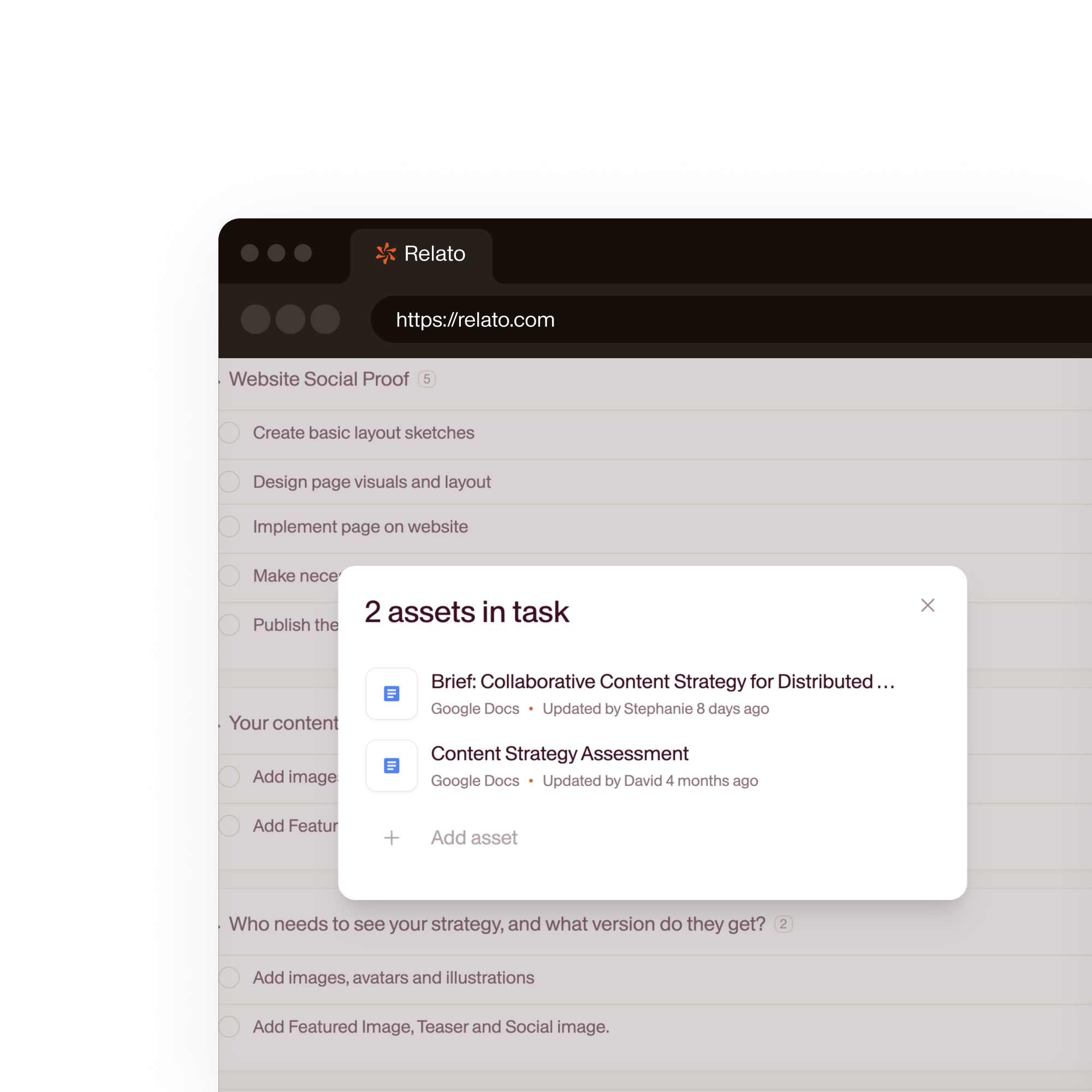
Every task in a project has an owner: a team member, a freelancer, or an AI agent. Agents execute their task (research, first draft, SEO check) and drop output directly into the project.
- Assign people, freelancers, or AI agents to any task
- Approval gates before content advances
- Comments and feedback in context
AI agents run when content reaches their stage
Assign an agent to a workflow stage. When a project enters that stage, the agent reads the brief and brand library, runs its task, and drops output into the project for human review.
- Pre-built agents: SEO, Fact Checker, Content Brief Assistant
- Custom agents in 60 seconds
- Each agent runs on the model that fits: Claude, GPT, Gemini, or Perplexity
Start every project with the same structure
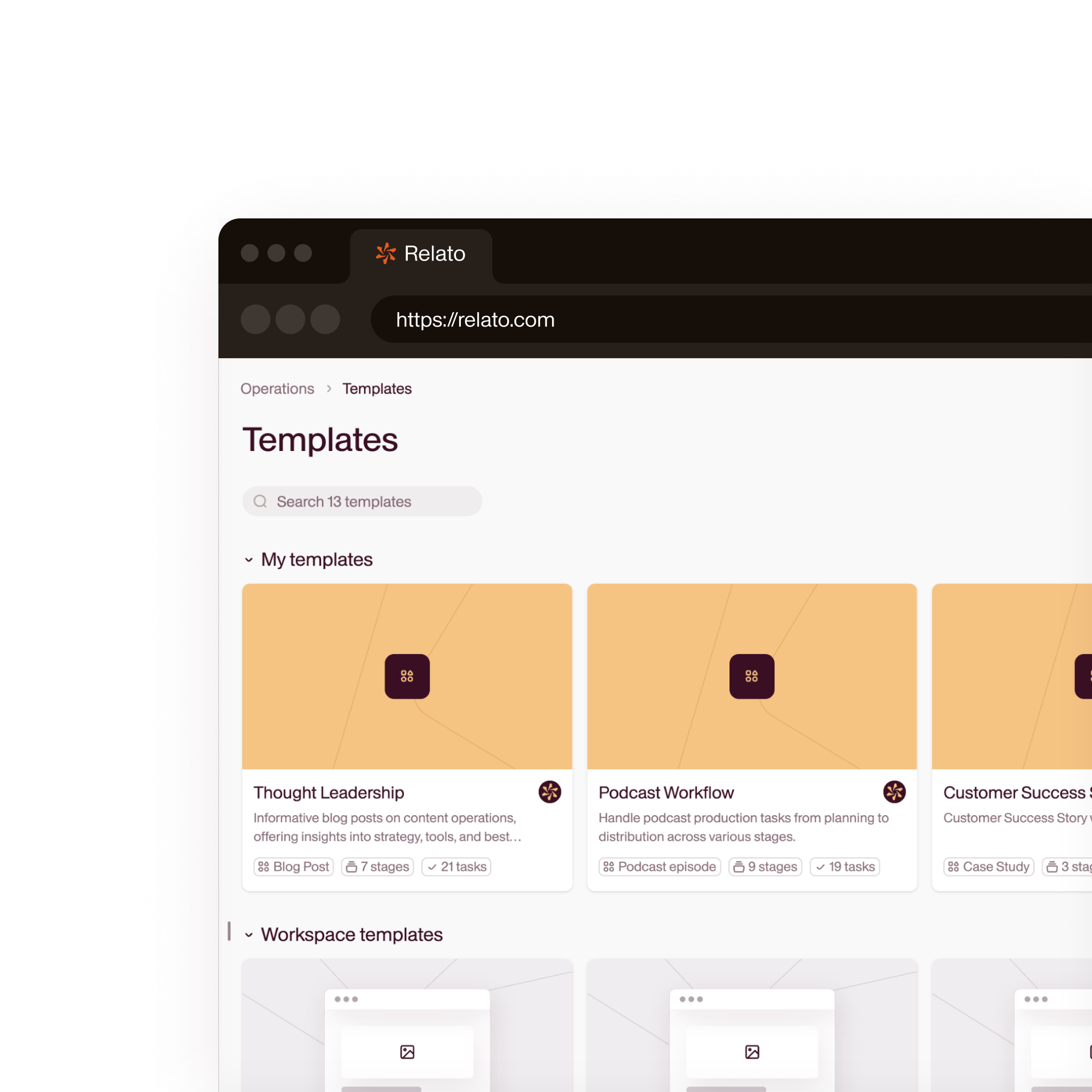
Define your standard workflow once: stages, tasks per stage, default assignees, and AI agent triggers. Save it as a workspace template. Every new project inherits this structure.
- Pre-built templates for blog, email, webinar, and more
- Customize stages, tasks, and agent assignments
- No manual setup for new projects
39%
of teams cite resource constraints as their top content challenge
Content Marketing Institute, 202642%
of enterprise teams struggle with cross-departmental collaboration
CMI Enterprise Research, 2026

How Relato compares to general project tools
| Relato | Notion / Asana / Monday | |
|---|---|---|
| Workflow stages | Built-in editorial stages with drag-and-drop | Custom fields, manual configuration |
| AI agents | Pre-built agents assigned to tasks and stages | No native AI agents |
| Brand library | Centralized. Writers and agents pull from it automatically | Files live in separate tools |
| Content in context | Briefs, drafts, feedback, and approvals inside each project | Tasks reference external documents |
| Calendar view | By publish date, channel, and content pillar | By due date only |
| Freelancer access | Unlimited seats, no per-user fees | Per-seat pricing |
Frequently asked questions
What's the difference between a content operations platform and a CMS?
A CMS (like WordPress or Webflow) handles publishing: getting content onto your website. A content operations platform handles everything before that: planning, briefing, writing, reviewing, and approving. Relato manages the entire workflow from idea to published, then you publish to your CMS or channel of choice.
Can I customize the workflow stages?
Yes. You define your own stages per workspace. Most teams use 4-6 stages, but you can add or rename stages to match your process. Each stage can have default tasks, assignees, and AI agent triggers.
How does Relato compare to Notion or Asana for content teams?
Notion and Asana are general-purpose tools. Relato is purpose-built for content: workflow stages map to the editorial process, the brand library gives writers and AI agents context, and the calendar view is organized by publish date and channel, not just due dates.
Do I need to replace my existing tools?
Relato replaces the coordination layer: the spreadsheet calendar, the Notion database, the Slack check-ins. You keep your CMS for publishing, your analytics tools for measurement, and your design tools for creative work.