See your entire content program on one board, across channels, teams, and deadlines
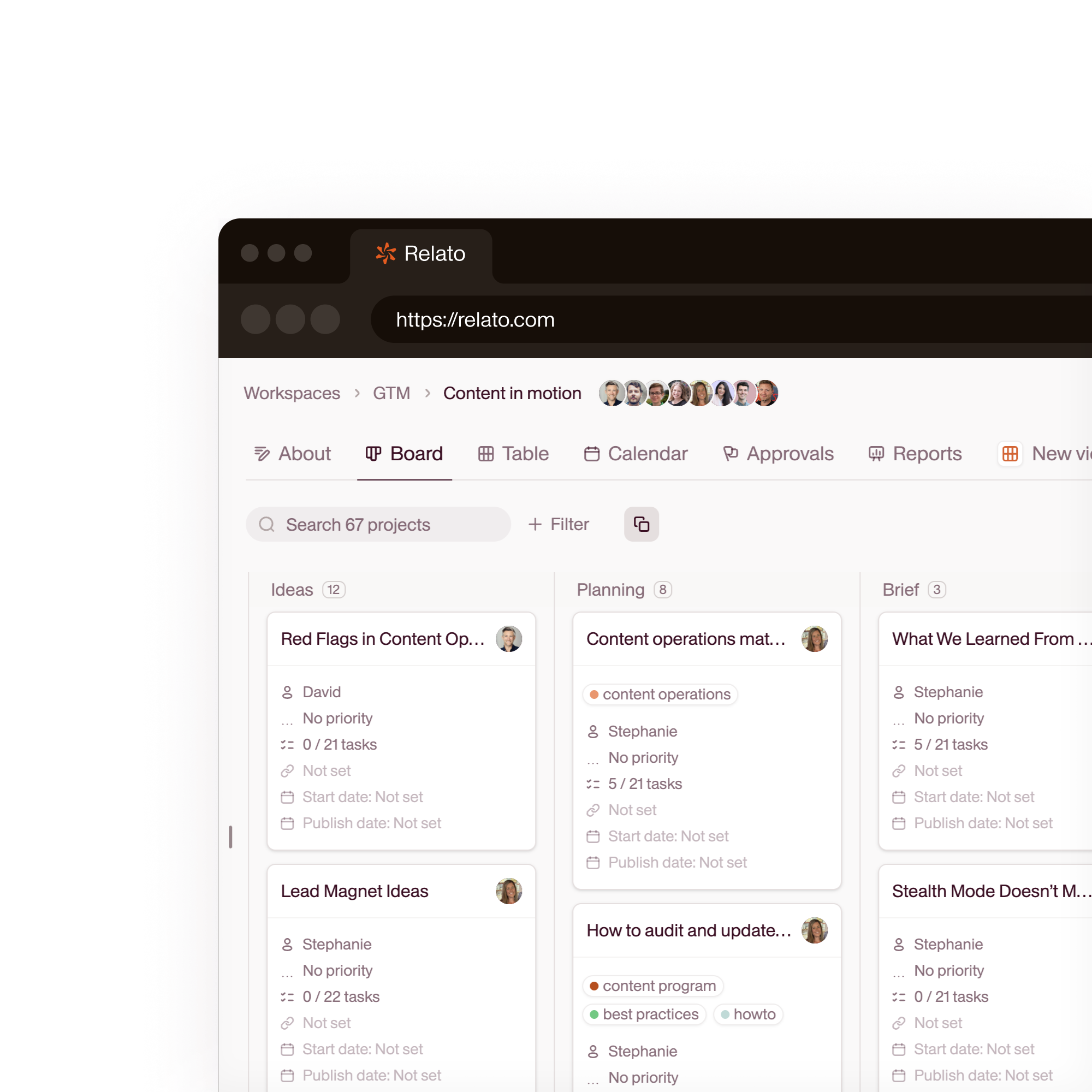
Every blog post, social campaign, webinar, and email newsletter shows up on a single board with stages, owners, and due dates. Filter by channel, funnel stage, or content pillar. No more spreadsheet calendars.

Stop tracking your content calendar in a spreadsheet
Without Relato
- A spreadsheet that's outdated the moment you close it
- No connection between strategy (the calendar) and execution (the drafts)
- Nobody knows which piece maps to which funnel stage or pillar
With Relato
- A board that updates as work moves through stages
- Each project contains the brief, the draft, the feedback, and the published link
- Tag every project with content pillar, funnel stage, and channel
See your entire content program on one board
Every blog post, social campaign, webinar, and email newsletter shows up on a single board with stages, owners, and due dates. Filter by channel, funnel stage, or content pillar.
- Board, calendar, and list views
- Filter by any dimension
- Real-time status as work moves
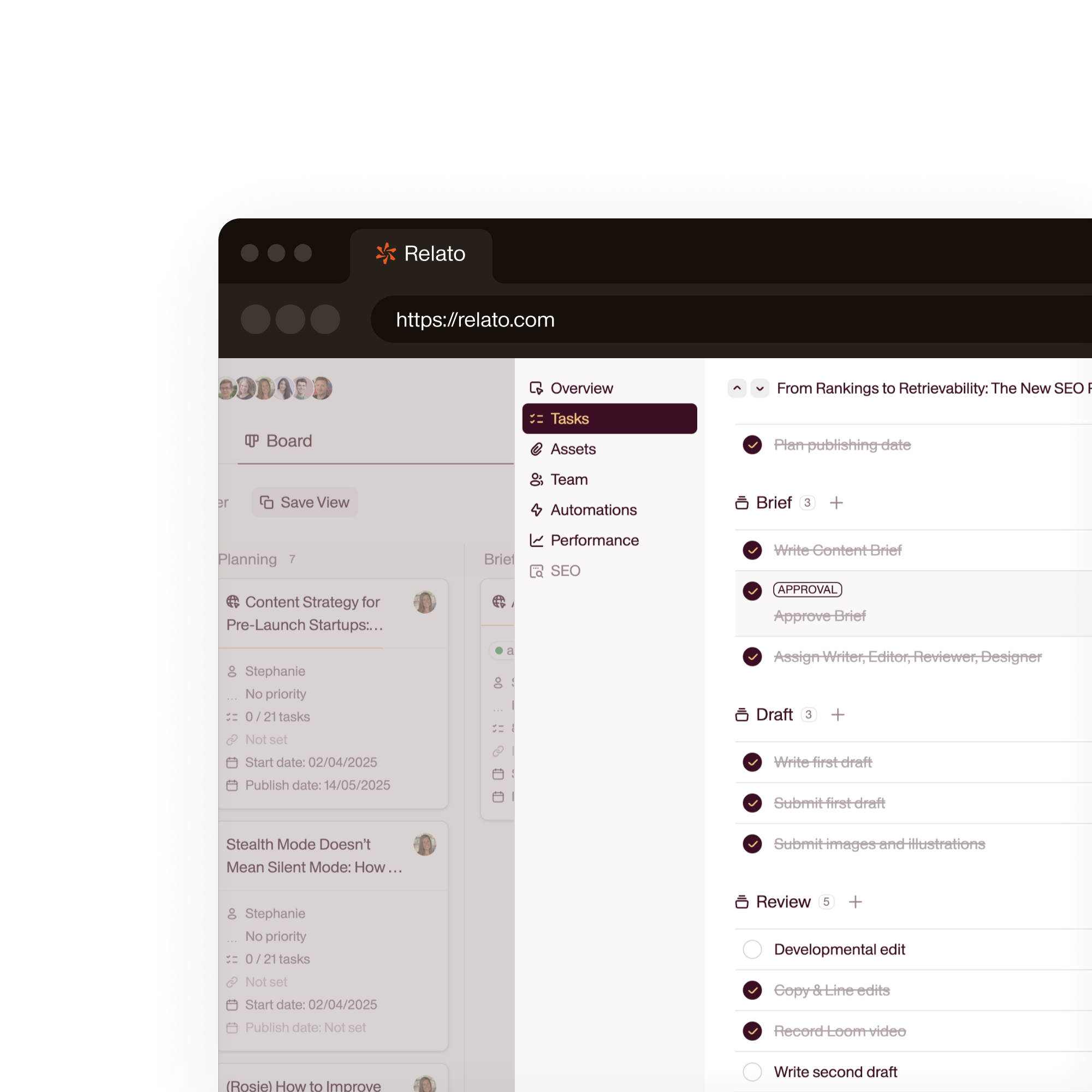
Organize by pillar, funnel stage, and channel
Create pillars that reflect your strategic themes. Create funnel stages. Tag each project. Filter the board to see gaps in your content coverage.
- Custom content pillars and funnel stages
- Tag every project with pillar, stage, and channel
- See coverage gaps at a glance
Standardize your process with workspace templates
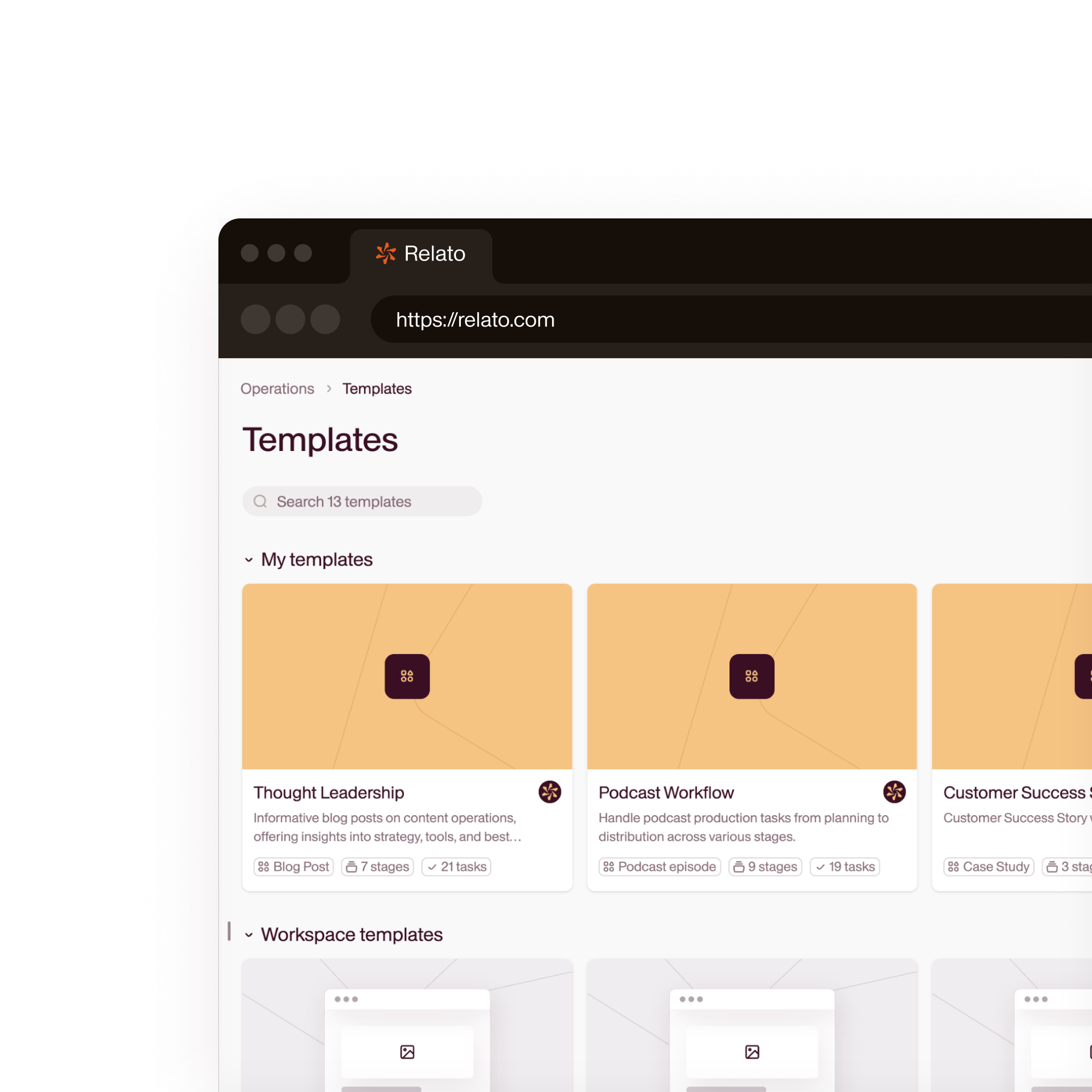
Define your standard workflow once: stages, tasks per stage, default assignees. Save it as a template. Every new project starts with the same structure.
- Define once, apply everywhere
- Default tasks and assignees per stage
- Consistent process at scale
66.5%
of content marketers don't know where to allocate resources
Heroic Rankings, 2026
38%
of enterprise teams struggle to measure content effectiveness
CMI Enterprise Research, 2026
24%
of teams report data quality issues limiting their impact
Digital Marketing Knight, 2026
21%
cite operational complexity as a top barrier
Digital Marketing Knight, 2026
“We can finally see what's happening across campaigns, spot overlaps, and make smarter use of our content.”
 Cassandra Gambill Head of Content, Walks and Devour Tours
 “There's just more headspace now. I feel like I'm finally leading content, not reacting to it.”
 Lauren Gibson Content Marketing Manager, Rally UXR
 How Relato compares for content strategy execution
| Relato | Spreadsheets / CoSchedule / Airtable | |
|---|---|---|
| Strategy-to-execution link | Pillars and funnel stages on the same board as drafts and tasks | Calendar disconnected from actual content work |
| Content pillars | First-class field. Filter, sort, and report by pillar | Custom fields or separate sheets |
| AI agents | Agents run inside projects with strategy context | No AI integration |
| Workflow stages | Built-in editorial stages with automation | Status columns or manual labels |
| Multi-channel | One board across blog, social, email, webinar | Separate calendars per channel |
Frequently asked questions
Can I see all my content in a calendar view?
Yes. Switch to calendar view to see all projects by publish date. Filter by workspace, channel, content pillar, funnel stage, or assignee. Drag projects to reschedule.
How do content pillars and funnel stages work?
You define content pillars (strategic themes) and funnel stages (Awareness, Consideration, Decision) per workspace. Tag each project with the relevant pillar and funnel stage. Use filters to see coverage gaps and plan accordingly.
Can multiple teams share the same workspace?
Yes. Invite team members from different departments or functions into the same workspace. Role-based permissions control who can create projects, approve content, or manage workspace settings.
What reporting is available for content strategy?
The board itself is the report. Filter by stage, pillar, funnel stage, channel, or date range to see where your content program stands. Track how long projects spend in each stage to identify bottlenecks.